Creating & Accessing Your Epic UserWeb Account
Before submitting a Cosmos access request, you can speed up the provisioning process by ensuring that you have an active Epic UserWeb account – this is what Epic ties Cosmos access to. In order to register for UserWeb, you can visit https://userweb.epic.com and search for “Dartmouth Health”.
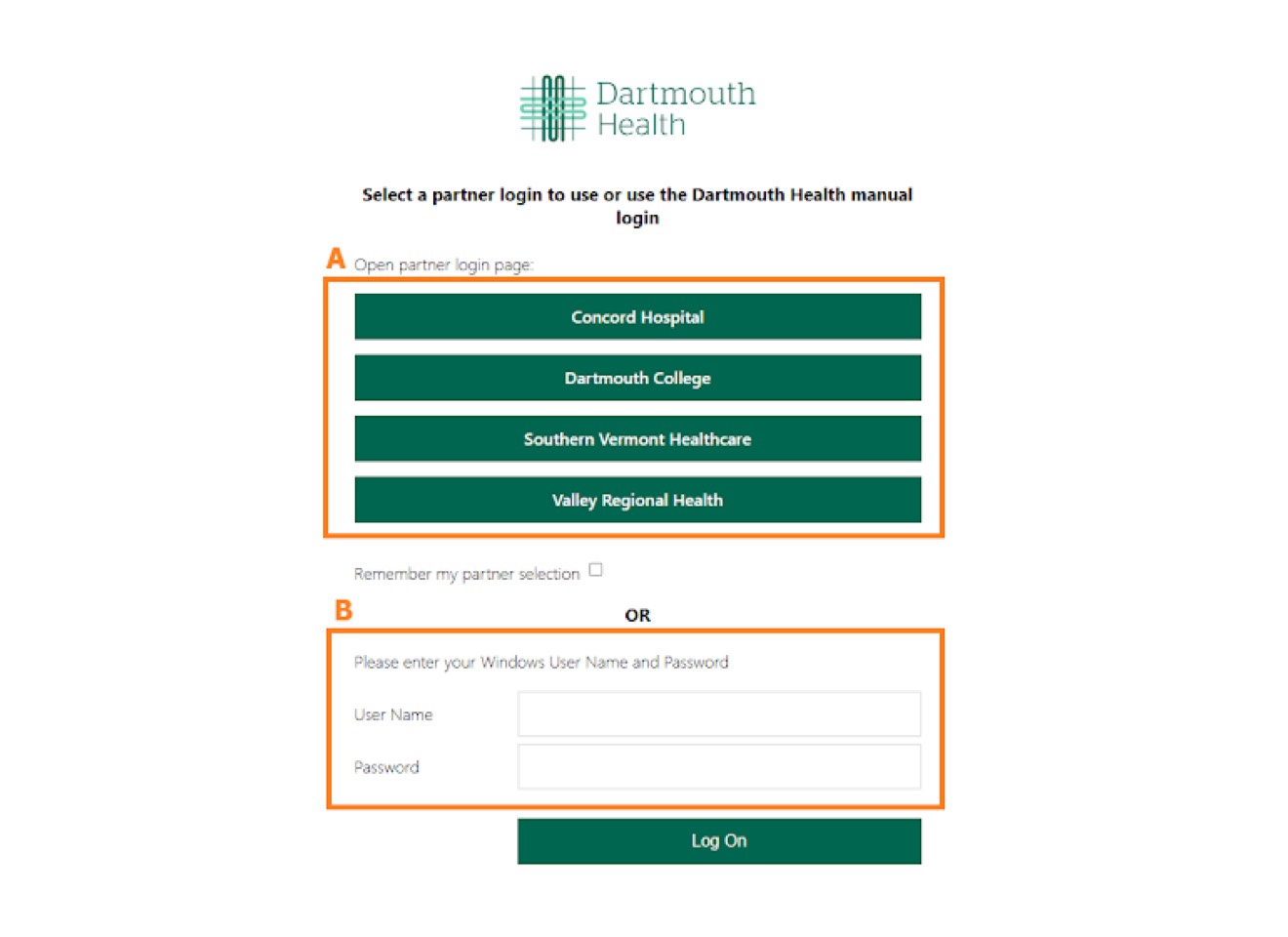
There, you’ll be able to login either using your DHMC Windows username and password (B) or through the college/partner site login (A) as shown on the image below. Then, if it’s your first-time logging into UserWeb, you will be asked to verify your employment information.
Important Role Selection Note
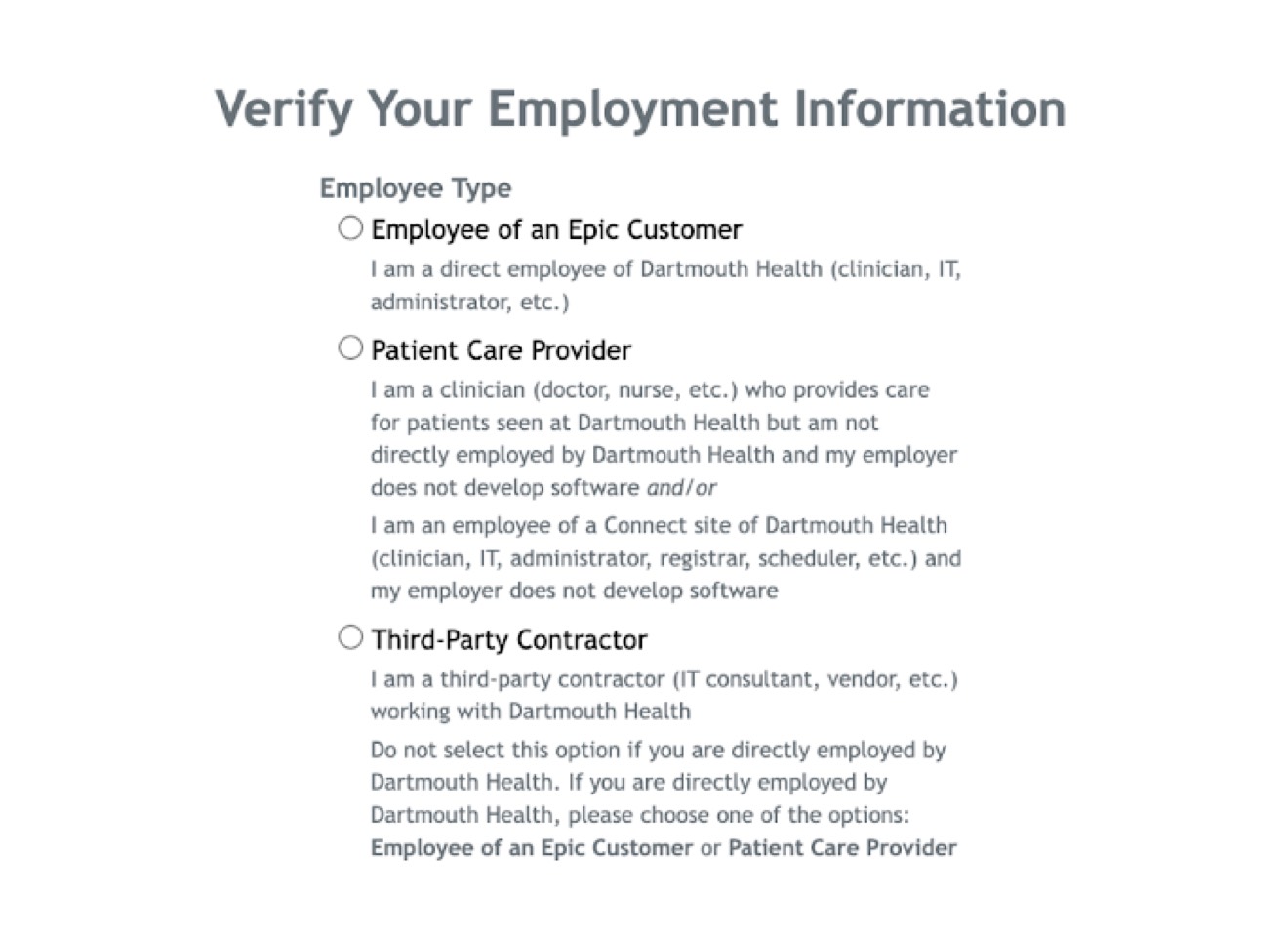
Members of the College, such as medical students, should choose “Employee of an Epic Customer”. Choosing “Third-Party Contractor” will delay your access since this role is typically not available for Cosmos access.
Once your Epic UserWeb account is active, you may proceed with COSMOS access steps.